Remove Photo Metadata Online — Free, Lossless, No Signup
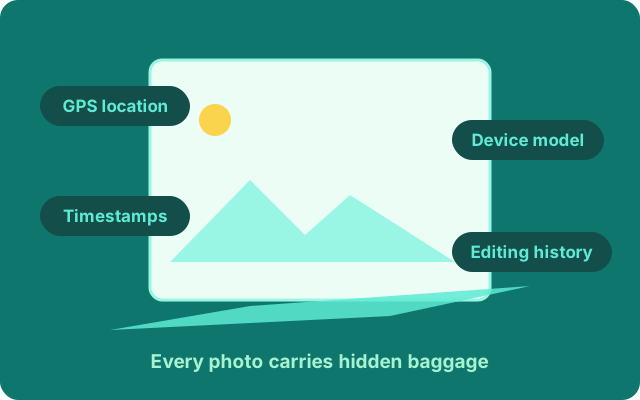
Every photo you share can carry hidden EXIF data: the GPS coordinates where it was taken, your device model, timestamps, even editing history. Drop a file below and PhotoWipe strips it all — without touching a single pixel.
Drop photos here or click to choose
JPEG or PNG · up to 15 MB each · wiped in seconds
What PhotoWipe removes
| Hidden data | What it can reveal | Wiped? |
|---|---|---|
| EXIF block | Camera or phone model, date and time, exposure settings, software used | Yes |
| GPS coordinates | The exact map location where the photo was taken | Yes |
| XMP metadata | Editing history, captions, labels added by photo apps | Yes |
| Photoshop IRB | Layers info and workflow traces from Adobe software | Yes |
| JPEG comments | Free-text notes embedded by cameras or tools | Yes |
Why people wipe photo metadata
Selling online
Marketplace photos taken at home can carry coordinates that point straight at your front door. Wipe them and buyers see the item, not your address.
Sharing kids' photos
School runs, playgrounds and bedrooms are all identifiable from geotags. Family photos are safer to share when location data is gone.
Work and journalism
Researchers, activists and reporters routinely strip metadata before publishing images, so sources and locations stay protected.
Dating and profiles
Profile pictures with geotags tell strangers where you live, work and drink. A wiped photo says nothing about your routines.
How it works
- Drop your photos. JPEG and PNG files up to 15 MB each — no signup, no email.
- We cut the metadata blocks. EXIF, GPS, XMP and comments are removed at byte level; image data is copied untouched.
- Download the clean files. The wiped originals are returned instantly and nothing is kept on our side.
Want the details? Read what EXIF data actually is or how GPS tags in photos expose your location. Running low on daily wipes? See pricing.
Three things worth knowing about photo metadata
It survives most sharing. Big social networks strip metadata on upload, but email attachments, chat apps "send as file", AirDrop and cloud folder links pass the whole file through — metadata included. If you did not share it through a feed, assume the data rode along.
Deleting it from your view does not delete it. Cropping a screenshot of a photo, or saving an image to a new album, does not remove the original file's hidden blocks. A wipe operates on the file itself.
Wiping is not editing. A wiped file is the same picture with the hidden text removed. Colors, resolution and detail are untouched — that is the difference between stripping metadata and re-saving or screenshotting your way around it.
Frequently asked questions
Is the wipe really lossless?
Yes. Your file is never re-encoded or re-compressed — only the hidden metadata blocks are cut out at byte level. Every pixel stays exactly as shot.
Are my photos stored on your servers?
No. Each upload is wiped in memory and discarded the moment your cleaned file is returned. Nothing is written to disk and nothing is shared.
Which formats are supported?
JPEG (.jpg/.jpeg) and PNG — the two formats that dominate camera phones, downloads and screenshots. HEIC can be exported to JPEG from your Photos app first.
Why is there a daily free limit?
Each wipe runs on real servers that cost money to operate. Five files a day are free forever; unlimited plans keep the lights on.
Will wiping reduce image quality?
No. Quality stays at 100% because the image data is copied untouched. Cleaned files are usually slightly smaller than the originals.